Bus Queue is a passenger-routing puzzle controlled by pinch, drag and release. Matching a passenger’s color to a bus matters, but it is only part of the decision: each rider faces a direction, and their exit path must be clear before they become grabbable.
Read direction, path and destination in that order
- Choose a rider and inspect the direction they face.
- Trace the cells in that direction to see whether another rider blocks the exit.
- Look for the glowing feedback that identifies a currently grabbable passenger.
- Check for a same-color bus before moving the rider; if it does not match, consider the waiting zone.
You cannot solve a blocked path by dragging harder. A different rider may need to leave first. Work backward from a clear exit to see which removal might open the next useful path.
Use a deliberate pinch–drag–release
Bring a visible hand to the glowing passenger, pinch to grab, move toward the destination and release at the matching bus door. Keep the target and release location in view. If the rider is not glowing, first inspect the facing path instead of repeatedly attempting the grab.
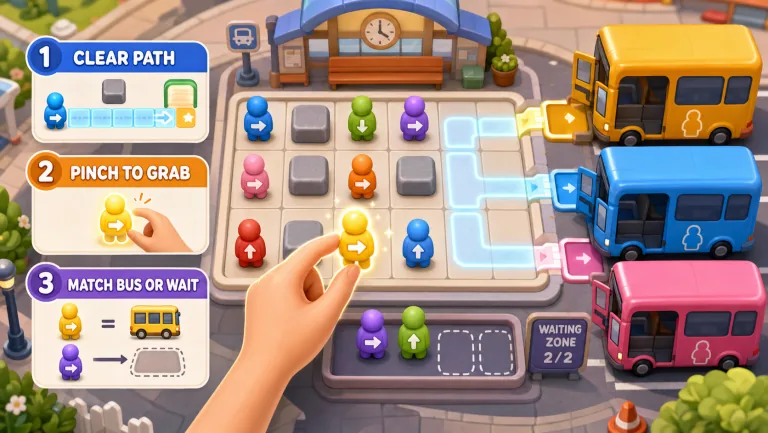
Treat waiting space as a limited resource
| Situation | Question before moving | Why it matters |
|---|---|---|
| A glowing rider matches a bus | Can this rider board directly? | A direct boarding avoids spending waiting space |
| A glowing rider does not match the available bus | Is there waiting space, and does moving them open a useful path? | Parking can help the grid but occupies a limited slot |
| A rider remains blocked | Which passenger stands in their facing path? | Availability depends on the path, not just matching color |
Before parking someone, identify the benefit: opening a lane, reaching a matching rider or preparing for a bus. Do not assume that moving every available rider into waiting space is progress. Recheck the zone as buses and boarding opportunities change.
Try a small route-planning challenge
Pick a matching rider you want to board and explain the path that needs to open. Make a move, then inspect whether it helped. A useful first success is direct boarding without filling the waiting area. This is an optional personal challenge, not an additional in-game mode.
For a family turn, one person can suggest the route and another make the gesture. Keep one active controller in view and swap roles; the family game-night format offers a turn plan. Do not compare this puzzle’s score with a different game’s points.
Check tracking and choose the next puzzle
If a glowing rider does not respond, verify hand visibility and your pinch–release sequence with the hand-input guide. Use camera setup when the cursor is unreliable.
For moving endpoints instead of passengers, read the Cyber Knot tutorial. To change from a single dragged object to a board-wide command, read Merge 2048. Compare all the options in the puzzle and casual collection. Bus Queue is MovePlay’s own game, not an official version of another bus-puzzle title.
Games to preview
Review the controls, play area and access label before opening a game.
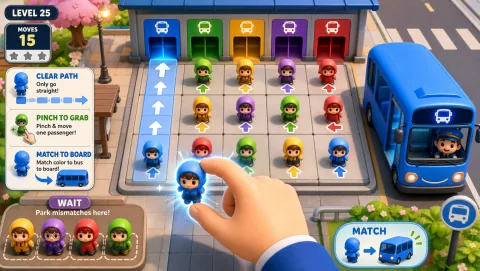
Bus Queue
Clear a passenger path and use limited waiting space to get riders onto matching buses.
Controls: Pinch a glowing passenger, drag to the matching bus or waiting zone, release.
First-round idea: Board a matching rider without filling the waiting zone.
Pro · sign-in required