Use seated or upper-body play when floor impact, balance, or fatigue is the limiting factor.
Movement without making jumping the default
No-Jumping Games
Not every active moment needs jumping. Some rooms are too close to neighbours, some players prefer a lower-impact option, and some activities simply work better when the input is reaching, stepping, or reacting. Choose the movement the person can repeat comfortably, not the movement that looks most dramatic.
Start with the game mechanic: reaction, reach, hand tracking, and gentle weight shifts create different demands from repeated jumps. If a game’s scoring depends on height or speed, make sure an adapted version still feels like a real game rather than a consolation mode.
How to choose
Start with the constraint, then pick the game
Lower-impact language is not a medical recommendation. When pain, balance, or rehabilitation is involved, the participant should follow professional guidance.
Give players permission to reduce range and pace; the activity should remain voluntary.
Use a short round and check comfort before adding duration or complexity.
Useful next steps
Move from the question to a real session
These routes answer different parts of the same decision. Use the guide to understand the moment, the category to browse the interaction, and the tool when you want a result immediately.
Keep the handoff human
Test one complete turn before making the activity bigger
Open one game, show the camera boundary, invite a willing player, and watch the full start–play–stop loop. If the room, movement, or confidence level does not fit, change the choice rather than asking the player to push through it.
Use a printable planning resourceChoose by the actual game controls
These games use head or hand controls rather than a jump command. Choose a comfortable position and preview the actual instructions.
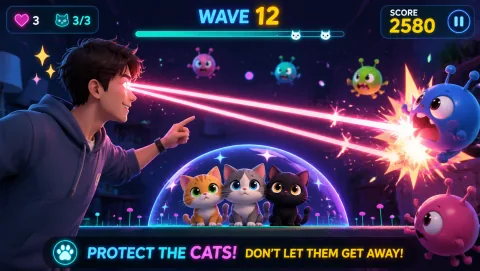
Laser Eyes
Aim lasers with head orientation and protect the cat from approaching monsters.
Controls: Turn your head to aim; keep the face visible.
First-round idea: Track a monster while keeping the cat out of the firing line.
Pro · sign-in required
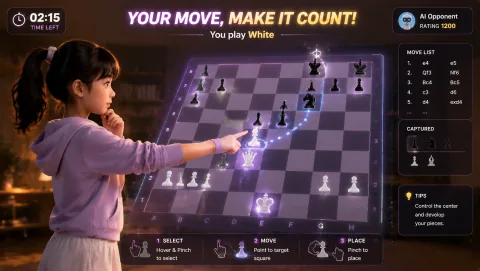
Gesture Chess
Move chess pieces by pinching over the board and play against the AI. The decision comes before the gesture.
Controls: Aim at a piece, pinch to select, aim at its destination and pinch again.
First-round idea: Select and place a legal piece move with a steady hand.
Pro · sign-in required

Cyber Knot
Pull neon loops apart until the tangle becomes readable. Each move changes the puzzle.
Controls: Open your fingers, hover over a node, pinch to grab, drag and open to release.
First-round idea: Separate an outside loop before working into the center.
Pro · sign-in required