Gesture Chess on MovePlay
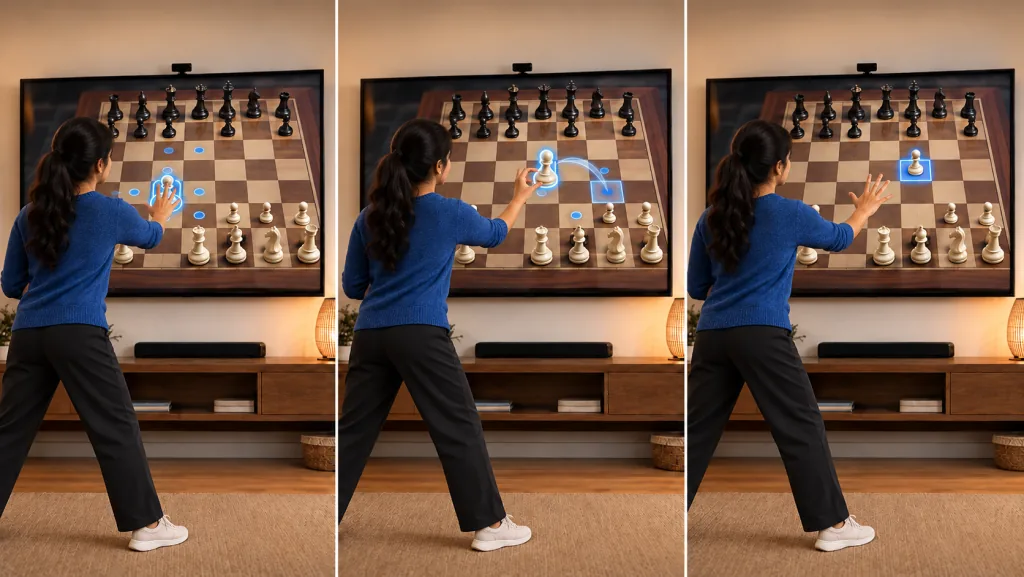
Gesture Chess is standard chess played through webcam hand control. You point at a piece by moving your hand over the board, then confirm the move with a pinch gesture. The rules are traditional chess; the novelty is that the board becomes a hands-free physical interface.
The exercise value is light, but the accessibility and coordination value are real. Players practice deliberate hand placement, visual focus, and fine motor control while thinking through chess tactics. Unlike fast reaction games, Gesture Chess is calm and paced by the player.
This game works best for players who already enjoy chess or want a low-intensity brain game between more active MovePlay sessions. The AI opponent keeps the page useful as a solo game, while gesture control makes a familiar board feel new.
How to play Gesture Chess
- Hold one hand in front of the camera and move it over the chessboard.
- Hover over a piece until it highlights, then move your hand to the destination square.
- Pinch your fingers to confirm the move; the AI opponent responds automatically.
Open Gesture Chess or browse MovePlay motion games.