Lead With the Outcome
Start from what families or teachers want: calmer routines, more movement, better focus, or a way to make indoor time feel less stuck.
Homeschool screen time
Screens can support movement when the activity asks the body to participate.
Best for homeschool families balancing online learning and movement.
Start from what families or teachers want: calmer routines, more movement, better focus, or a way to make indoor time feel less stuck.
The best activity is the one that starts in under a minute. Browser-based movement games work well because setup friction is low.
Scores, streaks, and short rounds make movement feel like play instead of a task someone has to enforce.
Practical playbook
Keep the first session small, specific, and easy to stop. The goal is not to create a perfect workout. The goal is to make active play feel like a normal option.
Put a ten-minute movement block between two seated lessons instead of waiting until everyone is tired.
Rotate skill goals across the week: cardio, balance, coordination, reaction, and silly poses.
Track completion, not perfection: one round finished is already a useful data point.
Why it works
Homeschool PE works better when the activity is simple enough to run on normal, imperfect days.
Scores, streaks, and visible progress give kids and adults a reason to try again without turning the session into a lecture.
Rotating cardio, balance, rhythm, and reaction games keeps the routine from becoming one narrow drill.
Start here
These games are browser-based and use body movement through a webcam. No controller or download required.
GenkiRun
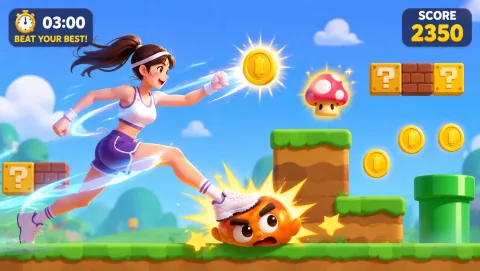
2D side-scroller: tilt your raised arms to point the way, run, leap over obstacles, stomp enemies, collect coins, power up with mushrooms!
02
 Bunny Hop
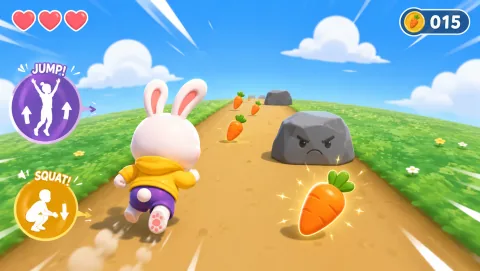
Dodge left and right, duck under obstacles, leap high — cycle all three moves to survive the endless course.
03
 Reaction
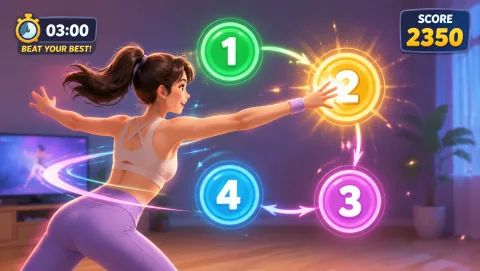
4 numbers scatter to the corners — slap them in order with hands and feet. The timer shortens fast; slow reactions cost points.
04
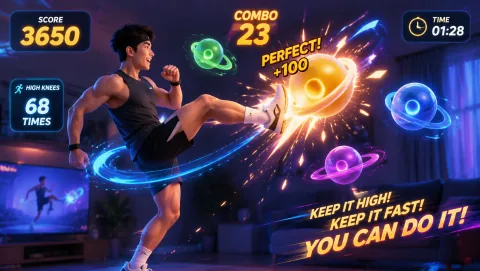 High Kicks
High-knee kicks to smash aerial light targets — the higher and faster you go, the more targets you can hit.
Simple routine
More options
Keep it realistic
Clear the floor, keep the camera pointed at the play space, start with low intensity, and stop if anyone feels pain, dizziness, or discomfort. For classrooms or groups, use short turns and a visible stop signal so the activity stays fun and contained.
Common questions
The activity should be simple to start, physically engaging, and rewarding enough that kids want to repeat it.
Most ideas work with body movement, open floor space, and a browser. No controller or dedicated fitness gear is required.
Begin with a five-minute round, watch which movement patterns kids enjoy, and rotate games before the activity feels stale.
Move first, scroll later