01
Start with the aisle view
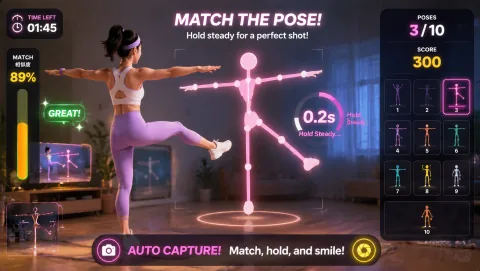
A webcam-controlled browser game can work well when the interaction is visible and short. It can also fail badly when the movement is confusing, the camera loses players, or the activity becomes a bottleneck. Design the operating flow before choosing the theme.
A passerby should be able to answer three questions without hearing a pitch:
- What is the player trying to do?
- What movement controls the game?
- When does the turn end?
Large, legible movement and an obvious score are more useful than a complex progression system in a booth or store opening.
Good event controls include:
- reach and hit;
- simple left/right steering;
- one visible squat/duck rule;
- short reaction targets;
- controlled hand pointing.
Avoid mechanics that require several minutes of explanation before the first meaningful action.
02
Design for throughput
Work backwards from expected traffic.
If one attempt takes 90 seconds and reset takes 30 seconds, one station can serve roughly 30 people per hour at theoretical maximum — and less in the real world. If that is too slow, reduce turn length or add stations.
Define:
- practice time;
- scored time;
- reset time;
- queue position;
- where a player stands;
- what happens after the score appears.
A visible floor mark helps the next player enter the camera zone without staff repositioning them each time.
03
Use one staff script
Staff should not improvise a new explanation for every participant.
A useful script is:
“Stand on the mark. Your body controls the game. You have one short round. When the score appears, step out on this side so the next player can start.”
Then add only the movement-specific instruction:
“Move left and right to steer,” or “Hit the numbered targets in order.”
04
Choose the right MovePlay control style
- Reaction challenge — Reaction or Whack A Mole provides immediate, visible feedback and works well for scoreboards or quick attempts.
- Body steering — Paddle Guard makes the mapping between body position and on-screen movement easy for spectators to understand.
- Hand-led option — Snake or Bubble Match can be useful when the booth footprint is tighter and full-body travel is undesirable.
Use live game metadata and a rehearsal on the actual display before final selection. Do not choose from screenshots alone.
05
Separate participation from lead capture
The game and the marketing conversion are two different steps.
Do not require a visitor to provide an email, photo or contact detail merely to understand what the game does unless that collection is genuinely necessary and clearly explained.
If you want a follow-up action, place it after the result moment:
- QR code;
- product demo;
- prize claim;
- optional email signup;
- coupon;
- next booth station.
Make the consent boundary obvious. If a camera is being used only for local gameplay tracking, do not imply the visitor is being photographed for marketing.
06
Camera and privacy signage
At a public event, a one-line sign can prevent confusion:
“Camera is used for live motion control. MovePlay gameplay tracking is processed locally in the browser and gameplay video is not uploaded or stored by the game.”
If the organiser separately records event photography or video, disclose that under the organiser’s own policy. Do not merge the two statements.
07
Rehearse the real environment
Test at the venue or recreate the constraints:
- bright windows behind the player;
- stage lighting;
- reflective screens;
- crowd movement in the camera background;
- Wi-Fi congestion;
- display resolution and browser zoom;
- camera mounting height;
- floor surface;
- queue crossing the camera view.
A browser game that works perfectly in an office can behave differently on a large display under exhibition lighting.
08
Build a fallback
Every event station needs a fallback that staff can trigger in under a minute.
Examples:
- switch from full-body to hand-led game;
- move to a local hotspot if venue Wi-Fi blocks required resources;
- use a non-camera scoring challenge while the device restarts;
- keep a second tested browser profile/device ready for critical activations.
The fallback should be rehearsed, not invented during a queue.
09
A 60-minute pre-opening checklist
- Device power and sleep settings checked.
- Browser updated and test page loads.
- Camera permission granted on the production URL.
- One complete start–play–result–reset cycle tested.
- Floor mark and queue position placed.
- Staff can explain the game in one sentence.
- Privacy/consent signage visible.
- Lead capture is optional and separate from gameplay.
- Fallback device or activity ready.
- Live pricing/account prompts will not unexpectedly interrupt the public flow.