01
Start with the lowest-friction version
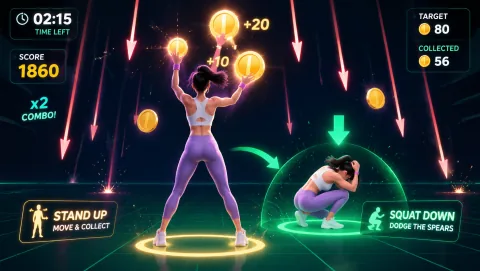
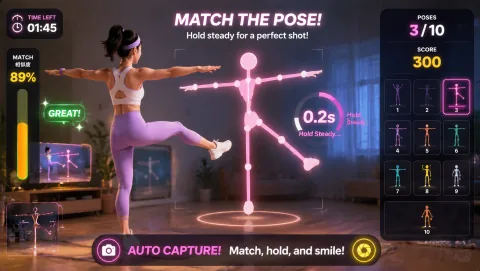
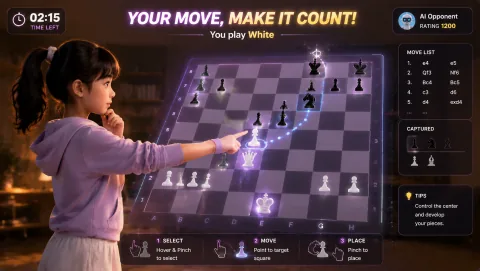
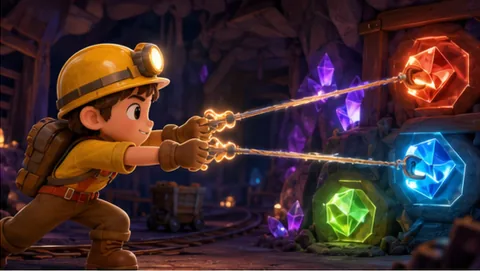
MovePlay games use a webcam and browser-based motion tracking so actions such as reaching, steering, posing, stepping or squatting can become game controls. Some titles stay mostly in place; others need more full-body framing. Choose the control style before choosing the theme.
The best first session is the one you can begin without rearranging the room for ten minutes.
For a quick break:
- open one game that matches your available space;
- make sure the camera sees the body part used by the control;
- play one or two short rounds;
- stop at a clean end point instead of turning the session into an obligation.
If you want another round, continue. If not, the session still did its job: it interrupted a long period of sitting with an intentional change of posture and attention.
02
Choose the movement style that fits today
- Low-travel hand or upper-body play — Use this when you have little floor space, want a quieter session or do not want repeated lower-body movement. Hand-led, pointing, reaching and contained pose games can usually be played closer to the camera than jumping or wide lateral movement.
- Standing reaction and steering — These games ask you to shift position, reach to targets or steer with body movement while remaining inside a relatively contained zone. They work well for a short break between desk sessions because setup is simple and the movement is easy to scale down.
- Larger full-body movement — Squats, knee lifts, bigger arm sweeps, jumps and wider lateral movement need more framing and a clearer floor. Use these only when the room and your own comfort make them appropriate. A game being more physically demanding does not automatically make it a better choice.
03
Match the room before you start
A motion game should fit the room, not force the room to fit the game.
Check four things:
- Camera framing: can the camera see the hands, torso or full body that the game needs?
- Movement footprint: can you complete the control without reaching furniture, cables, pets or another person?
- Screen readability: if you step farther back, can you still read targets and instructions?
- Surface: avoid slippery or unstable flooring for games with repeated stepping or squatting.
For a more systematic setup, use the webcam game setup guide (/guides/webcam-game-setup) and the small-space game guide (/guides/small-space-webcam-games).
04
Good starting categories
Useful starting categories include:
- reaction games for short target-based rounds;
- hand-tracking games for low-travel play;
- pose games for readable whole-body interaction without constant travel;
- squat or dodge games when full-body framing and floor space are available;
- rhythm games when the player prefers a repeated timing pattern.
Browse the current webcam game collection (/webcam-games/) or filter by movement and space in collections (/collections/).
05
What active games can and cannot claim
A game can create a reason to stand, reach, shift posture or repeat a movement. That is a product fact when the control requires those actions.
It is different from claiming that a game:
- causes weight loss;
- burns a fixed number of calories;
- improves cardiovascular fitness;
- treats pain or mobility problems;
- replaces strength, aerobic or rehabilitation programmes.
MovePlay should not make those claims without appropriate evidence. If your goal is medical rehabilitation, symptom management or a prescribed exercise programme, follow qualified professional guidance rather than a general game guide.
06
Make repeat sessions easier
If you enjoy the format, reduce the number of decisions needed next time.
- Bookmark one low-travel game and one more active game.
- Keep the camera position stable if possible.
- Tie the session to an existing transition such as closing work, waiting for dinner or taking a scheduled break.
- End while the experience still feels easy to repeat.
The objective is not to prove discipline. It is to make a short movement option available when you want one.
07
Choose your next step
- Browse webcam games (/webcam-games/)
- Find small-space games (/collections/small-space-games/)
- Set up the camera and room (/guides/webcam-game-setup)
- Learn how browser body tracking works (/help/how-webcam-body-tracking-works)