Movement breaks for remote teams

Remote team movement breaks people can join without turning the meeting into a workout

A good remote-team movement break is short, optional and operationally simple. The goal is not to measure fitness. It is to interrupt a long block of sitting or meeting time with a few minutes of different attention and movement.

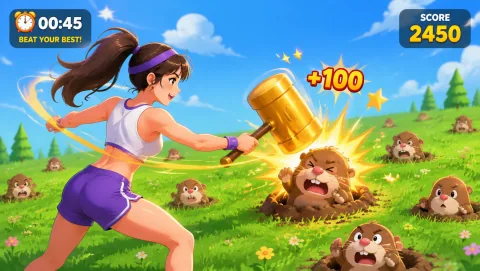
Reaction gameplay preview
Reaction 4 numbers scatter to the corners — slap them in order with hands and feet. The timer shortens fast; slow reactions cost points.
Best for

Best for remote teams, virtual offsites, recurring meeting breaks, and workplace hosts who need a low-setup shared activity.

01

Use one host and one stop time

A browser motion game can work because the host can share a link and the player uses a camera on the game device. The format still needs clear participation rules so nobody feels pressured to turn on a meeting camera, explain a health condition or clear an unsuitable room.

The host should own four things:

  • the activity link;
  • a one-sentence explanation;
  • the timer;
  • the end of the activity.

Do not ask the entire team to explore a new tool independently during the meeting. Either send the link in advance or have one host demonstrate before inviting voluntary turns.

02

Choose the game by work context

  • Short reaction game — Reaction or Whack A Mole works when the goal is a visible, easy-to-understand hot-seat challenge.
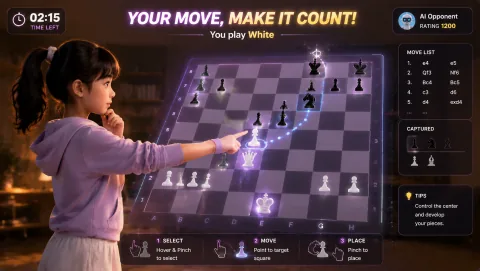
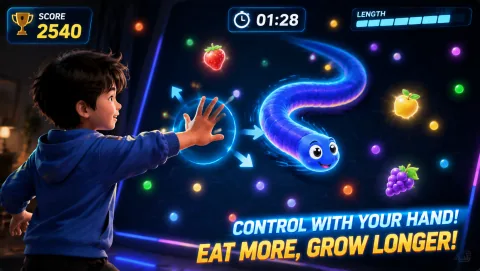
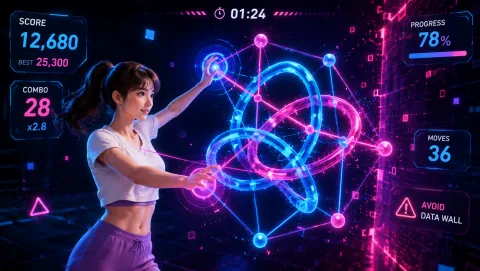
  • Lower-travel option — Snake, Bubble Match or another hand-led title is better when people may be at desks or in small home offices.
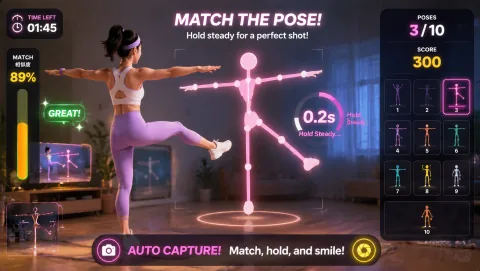
  • More active option — A full-body title can work for an optional wellness session where participants have deliberately prepared space, but it is a poor default surprise activity in a normal meeting.
03

Keep meeting-camera culture separate from game-camera use

Some people keep video off during meetings for privacy, bandwidth, environment or personal reasons. A movement break should not silently convert that norm into a requirement.

Useful options:

  • game camera only on the local device, without broadcasting it to the meeting;
  • volunteer hot-seat participation;
  • observer or scorekeeper role;
  • non-camera alternative such as stretch, walk or pattern challenge.

The host should not ask participants to justify why they choose an alternative.

04

Remote versus hybrid teams

  • Fully remote — Send one browser link and let each participant decide whether their room fits. Use chat for scores or reactions.
  • Hybrid meeting — Do not make remote participants watch an in-room group play for ten minutes. Keep the shared segment short and use comparable roles for both locations.
  • Recurring wellness break — If the activity is repeated weekly, save one tested device/browser route and rotate control styles rather than introducing a completely new technical setup every time.
05

When not to use a webcam movement break

Skip it when:

  • the meeting contains sensitive or stressful content;
  • the team has no advance notice and the activity requires floor space;
  • camera use conflicts with policy;
  • the time zone or environment makes movement impractical;
  • the host cannot provide a non-camera alternative;
  • a simple five-minute break away from the screen would serve the group better.

Choosing not to gamify a break can be the correct decision.

06

Privacy and workplace policy

MovePlay states that its gameplay camera tracking is processed locally in the browser and gameplay video is not uploaded as part of that motion pipeline. An organisation may still have its own rules for browser camera permissions, device management, network access and approved software.

Test the tool through the organisation’s normal IT process before making it a recurring activity.

07

Next step

Choose one low-friction game from the Game Hub (/hub/), test it on the host device, and run the six-minute format with volunteers before making it a recurring team ritual.

Practical playbook

How to make this work today

Keep the first session small, specific, and easy to stop. The goal is not to create a perfect workout. The goal is to make active play feel like a normal option.

Why it works

Use behavior design, not pressure

Short rounds reduce resistance

People are more likely to start when the commitment feels small. A five-minute movement game is easier to accept than a vague promise to exercise.

Feedback makes repetition easier

Scores, streaks, and visible progress give kids and adults a reason to try again without turning the session into a lecture.

Changing posture changes attention

Standing up, reaching, squatting, or reacting can break the passive screen loop and make the next transition easier.

Simple routine

A six-minute format

  1. Minutes 0–1: Explain: say what the activity is, how long it lasts and that participation is optional. Example host script: “We’re taking six minutes away from slides. I’ll show one short browser movement game. Join from your own device if the room and camera setup work for you, or stay as a spectator and help with the score.”
  2. Minutes 1–2: Demonstrate: show one full action, not every feature. If the game requires left/right movement, demonstrate that. If it uses hands, show one target.
  3. Minutes 2–5: Play: for a small team, people can take short independent turns and post scores in chat. For a larger team, use one or two volunteer players while the rest predict, call targets or keep score.
  4. Minutes 5–6: Close: end at the promised time. Do not let a tournament expand into the next agenda item unless the group explicitly chooses to continue later.

More options

Keep the rotation fresh

Keep it realistic

Make opting out normal

Ask participants to use only movements that fit their room and comfort level. Keep cameras optional, avoid public pressure around scores, and provide a seated or spectator path for every session.

Questions teams ask

FAQ

Does everyone need to turn on a camera?

No. A good format offers spectator or non-camera roles, and participants should not have to explain why they choose them.

Should the team compete on score?

Only if the group enjoys it. Cooperative prediction, one volunteer demonstration or personal score-chasing can work just as well. Avoid making performance a workplace judgement.

Does everyone need the same computer?

No, but the host should test the supported browser/device combinations before a scheduled event. Use the maintained compatibility matrix rather than assuming every combination behaves identically.

How long should the break be?

Five to eight minutes is a practical meeting format because it creates a genuine break while preserving the agenda. Longer sessions should be scheduled intentionally rather than hidden inside a meeting.

Choose your next step

Make the next move fit the moment.

Use the page that matches what you need now: a game, a setting, a tool, or a plan.

Move first, scroll later

Turn a short screen session into active play.

Play Reaction now

Preview the actual game controls

Laser Eyes — Game artwork

Laser Eyes

Aim lasers with head orientation and protect the cat from approaching monsters.

Controls: Turn your head to aim; keep the face visible.

First-round idea: Track a monster while keeping the cat out of the firing line.

Pro · sign-in required

Ball Drop — Game artwork

Ball Drop

Steer a ball through stair gaps, collect stars and use a squat power drop to break weak steps.

Controls: Tilt to steer; squat for a power drop.

First-round idea: Find a gap and pass it without touching a red hazard.

Pro · sign-in required

Check current free games and plans →