🦵 Free Camera Tool
Webcam Squat Counter
Stand in front of your webcam and squat. The counter follows your hips frame by frame, counts full reps in sets of 10, and flags half reps — all processed on your own device.
🔒 Privacy: pose detection runs entirely in your browser — video never leaves your device. Rep counts live on this page only and are not stored or sent anywhere. Read more in our camera games privacy explainer and privacy policy.
Counts hip-depth crossings with on-device pose tracking · a rep counter, not a form coach or medical tool
How the Counter Works
Pose landmarks on every frame
An on-device pose model finds 33 body landmarks per video frame. This counter only needs four of them — your two shoulders and two hips — to track how far your hips travel downward.
Standing calibration
When tracking starts, stand tall for a moment. The tool records your standing hip height and torso length, then draws a depth line scaled to your body — the same relative depth for kids and adults.
Honest depth thresholds
A hip drop past the minimum line (~28% of torso length) and back up counts as a rep. Dropping past the deeper line (~45%, roughly thighs near parallel) earns a "good depth" label; shallower reps are flagged as half reps, and tiny dips are ignored.
Honest Framing
This tool measures one thing: whether your hips crossed a depth line. It cannot see knee tracking, back angle, or balance, and it is not a fitness or medical assessment. Use the count as motivation — for real form coaching, work with a qualified trainer. New to camera setup? See the body tracking setup guide.
Get an Accurate Count in 4 Steps
Frame your whole lower body
Stand about 1.5–2.5 meters back so your head, hips, and knees stay in frame at the bottom of a squat. Front-facing or side-on both work — hip height reads the same either way. More placement tips in the body tracking setup guide.
Light yourself from the front
A lamp or window behind you turns you into a silhouette and the model loses your hips. Face your light source and avoid busy backgrounds when you can — clean tracking means clean counts.
Stand still through calibration
The first ~1.5 seconds set your standing baseline. Stay upright and still until the depth lines appear on screen, then squat at your own pace — no need to rush reps for the camera.
Watch the depth label, not just the number
Each rep gets labeled good depth or half rep as you stand back up. Ten honest reps beat twenty shallow dips — when your legs fade, end the set rather than cutting depth. Want squats with a game wrapped around them? Play Squat Pacman or browse the squat games collection.
Turn Squats Into a Game
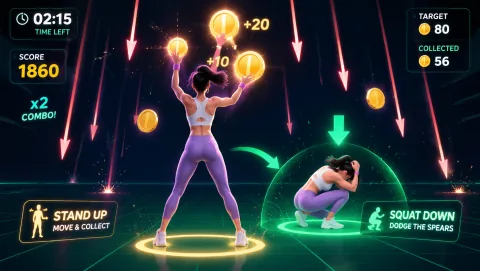
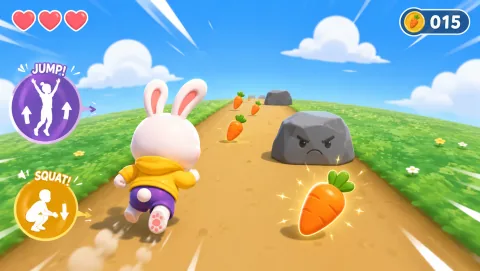
More camera counting: try the webcam jump counter, estimate session burn with the calorie calculator, or browse all Free webcam games.
Frequently Asked Questions
How does the webcam squat counter work? +
The tool runs a pose-detection model in your browser that finds your shoulders and hips in each video frame. It first learns your standing hip height during a short calibration, then counts a rep whenever your hips drop below a depth line and come back up. The depth line is scaled to your torso length, so it adapts to tall and short users alike.
Does my camera video get uploaded anywhere? +
No. All pose detection runs on your own device inside the browser. Video frames are analyzed locally and discarded — nothing video-related is ever sent over the network. Your rep counts stay on the page and are not stored or transmitted.
Why does the counter miss some of my squats? +
The most common causes are framing and lighting. Make sure your hips, knees, and shoulders stay visible for the whole rep — stand roughly 1.5 to 2.5 meters from the camera and avoid strong backlight. Very shallow dips below the minimum depth line are intentionally not counted, and reps where the hips leave the frame are ignored.
What counts as good squat depth in this tool? +
The counter uses two simple thresholds relative to your torso length. A hip drop of about 45% of your shoulder-to-hip distance or more is labeled good depth — roughly thighs near parallel for most people. Drops between about 28% and 45% count as half reps, and anything shallower is not counted. These are practical coaching thresholds, not medical judgments.
Can I use this as a workout or medical assessment? +
It is a rep counter, not a coach or a medical tool. It tells you how many times your hips crossed a depth line — it cannot judge knee alignment, back position, or whether squatting is safe for you. If you have pain, an injury, or a health condition, check with a qualified professional before doing squat sets.