🐰 Free Camera Tool
Webcam Jump Counter
Jump in front of your webcam and let on-device pose tracking count every rep. Pick a 30 or 60 second round, chase your best score — no signup, nothing uploaded.
Start your camera, step back until your hips are in frame, then jump.
Video never leaves this browser tab.
Your best score is stored only in this browser (localStorage) — nothing is sent anywhere.
Camera off — press “Start camera” above.
Your video never leaves your device. Pose tracking runs frame-by-frame inside this browser tab; nothing is recorded, stored, or uploaded. The only thing saved is your best score, in your own browser. Read our camera privacy explainer or full privacy policy.
Counted from hip movement via on-device pose tracking · for fun and self-competition, not a fitness test
How the Counter Reads Your Jumps
Pose landmarks per frame
A pose-tracking model locates 33 body landmarks in every camera frame — shoulders, hips, knees, ankles and more — entirely inside your browser. The green overlay on the preview shows you exactly what the tracker sees.
The signal that counts
When you jump, your hips shoot upward and drop back down. The counter tracks that vertical hip position, and each clean rise-and-return past your standing baseline registers one jump. Crouches and leans are filtered out by the return-to-baseline check.
Everything stays on your device
The same on-device engine powers all of MovePlay's webcam games. Frames are analyzed in your tab and discarded immediately — there is no server round-trip, no recording, and no account.
Get an Accurate Count in 4 Steps
Frame head to mid-thigh, minimum
The counter reads your hips, so they must stay on screen. Stand 1.5–2.5 m (5–8 ft) back and tilt the camera until you can see from the top of your head to at least mid-thigh. Feet in frame is even better.
Stand still for a second before starting
The tool learns your standing hip height as a baseline when tracking begins. Stand naturally for a moment after the camera starts — then press the round button and jump only after the countdown finishes.
Light yourself from the front
A lamp or window behind you turns you into a silhouette and the tracker loses your hips mid-jump. Face your light source. If tracking stutters, close other tabs — the pose engine wants a steady frame rate.
Jump straight up, land, repeat
Clean vertical jumps count most reliably. Deep knee-bends without leaving the ground can mimic a jump's hip dip — if you see phantom counts, jump with straighter legs. Still having trouble? Check the body tracking setup guide.
Turn Those Jumps Into a Game
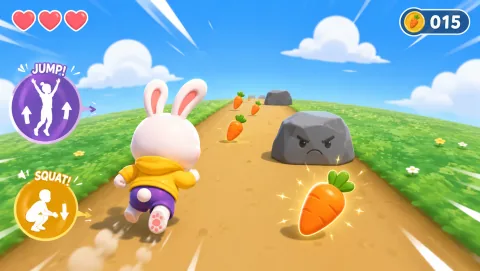

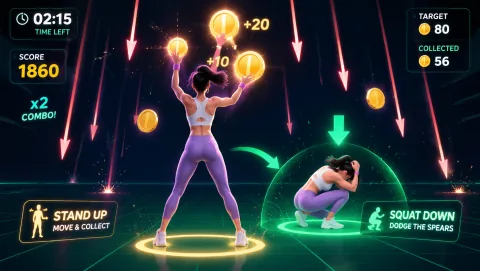
Want the squat version of this tool? Try the webcam squat counter, or browse every camera title in the webcam games collection — the games are free to start and need no download, as covered in our Free Webcam Games With No Download or Controller.
Frequently Asked Questions
How does a webcam count my jumps? +
This tool runs a pose-tracking model entirely inside your browser. The model finds 33 body landmarks in each camera frame, and the counter watches the vertical position of your hips. Every time your hips rise sharply above your standing baseline and come back down, that oscillation is counted as one jump. No video is uploaded anywhere — the analysis happens frame-by-frame on your own device.
Is my video recorded or uploaded? +
No. The camera stream is analyzed locally in your browser tab and never leaves your device. The only thing this page stores is your best score, saved in your browser's localStorage on your own machine — and you can delete it any time with the Reset best button. Our camera privacy explainer has the full details.
Why is the counter missing my jumps or counting extra ones? +
Almost always a framing issue. The tracker needs to see your hips clearly, so stand about 1.5–2.5 m (5–8 ft) back with your head to mid-thigh in frame, face the camera, and light yourself from the front. Missed jumps usually mean your hips left the frame or the room is too dark; extra counts usually come from crouching or bending, which also moves your hips vertically. The body tracking setup guide walks through camera placement, and webcam games not working covers tracking dropouts.
What is a good jump count for 30 or 60 seconds? +
There is no official number — jumping speed varies hugely with age, fitness, and how high you jump. Treat your own best score as the benchmark and try to beat it by a rep or two next session. This tool is for fun and self-competition, not a fitness assessment.
Does the jump counter work on a phone or Chromebook? +
Yes, as long as the browser is current and can access the camera. On a phone, prop it up at roughly chest height a couple of meters away so your hips stay in frame — handheld counting will not work because the camera must see your body. On a Chromebook, the built-in webcam is enough; close extra tabs if tracking feels slow. Teachers using this for movement breaks may like our Classroom Movement Games That Get Students Active.