Help center

How to set up two-player webcam games

One camera, two players. Here's the honest version of how multiplayer works with body tracking — and the room setup and score formats that make turn-taking feel like a real match.

Neon Stomp Battle gameplay preview
Neon Stomp Battle Side-step to the beat as the BPM ramps up. Both players face the same beat sequence, so scores compare cleanly — the natural pick for a two-player battle.
The short answer

MovePlay's camera tracking follows one person at a time — so two-player on one camera means turn-taking, not simultaneous play. Set up right, a 60-second turn rotation with a running scoreboard is genuinely competitive.

Before you start

What "two-player" means with one camera

Every MovePlay game tracks a single body in the camera frame. There is no split-screen mode and no way for the camera to score two people at once — if two players stand in frame together, the tracker will pick one of them, and it may switch mid-round. That's a limitation worth knowing up front, but it doesn't block two-player play. It just means the competition happens between turns instead of inside one.

What works is the same format that made arcade cabinets multiplayer: one player per round, a visible score, and a fast swap. The sections below cover the room arrangement that makes swaps take seconds and the score-keeping formats that make it feel like a match.

Setup

Room arrangement for two players — 5 steps

  1. Clear a play zone about two arm-spans wide. Full-body games (BunnyHop, High Kicks, Squat Pacman) need room to step sideways; hand games (Snake, Gesture Chess) need much less. If you're unsure your space is big enough, run it through the room space checker before game night.
  2. Place the camera so the play zone fills the frame. Laptop on a table or shelf, roughly chest height, 1.5–2 meters back from where the player will stand. Full setup detail is in the body tracking setup guide.
  3. Mark the play spot with tape. One mark where the active player stands. This keeps both players at the same distance from the camera, which keeps scoring conditions equal between turns.
  4. Mark a waiting spot outside the frame. Check the camera preview: the waiting player should be completely invisible to it, at least an arm's length past the edge of view. Behind the screen works too if there's room.
  5. Agree on the swap path. Players swap by walking around the camera's field of view, not across it. Crossing the frame mid-handoff is how the tracker grabs the wrong person at the start of a turn.

Make it a match

Four score-keeping formats that work

The format matters more than the game. Pick one before you start and write it down — arguing about the rules mid-match kills the momentum faster than any tracking glitch.

Troubleshooting

Two-player problems, cause and fix

These are the three issues that come up specifically when two people share one camera. Each has a one-step fix once you know the cause.

Symptom: controls stop responding mid-round

Cause: the tracker jumped to the waiting player, who drifted into the camera's view. Fix: check the preview — if two people are visible, move the waiting spot further out. The tracker re-locks within a second or two once only one person is in frame.

Symptom: tracking is fine for one player, shaky for the other

Cause: usually distance or lighting, not the game — one player stands closer, or a lamp is behind their side of the room. Fix: use the tape mark so both players stand in the same spot, and light the play zone from the front. If lag affects both players, see how to reduce motion game lag.

Symptom: the new turn starts tracking the player who just finished

Cause: the outgoing player is still in frame when the incoming player steps in — two bodies, tracker picks the old one. Fix: make the handoff sequential: outgoing player exits the frame fully, then the incoming player steps onto the tape mark and waits for the pose overlay to show their skeleton before starting.

Space and safety

Two bodies, one room

Two players means twice the movement near the furniture. The waiting player's spot should be out of frame and out of range of the active player's kicks and reaches — a meter of buffer behind or beside the screen beats a front-row seat. For bigger screens and more room, running the game on a TV works well; the TV setup guide covers camera placement for that. A larger screen also helps the waiting player follow the score without crowding the camera.

Common questions

FAQ

Can two people play a webcam game at the same time on one camera?

No — and it's worth being direct about this. MovePlay's body tracking follows one person at a time, so all games are single-player on camera. Two-player play means taking turns: one person plays a round, steps out of the frame, the other person steps in and plays the same round, and you compare scores. With the right format this feels like a real head-to-head match rather than a compromise.

Which game is best for two players?

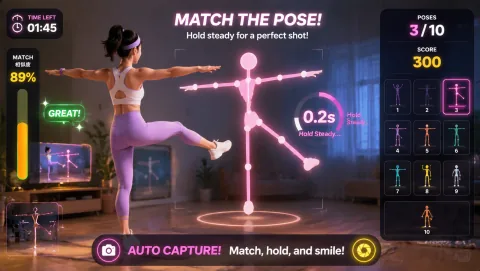
Neon Stomp Battle is the natural battle pick: both players face the same beat sequence at the same BPM ramp, so scores compare cleanly. Reaction and Whack-a-Mole work well for fast rotations because rounds are short and scoring is instant. Awkward Pose Studio suits elimination formats — miss a pose and you're out, last player standing wins.

Why does the camera track the wrong player mid-game?

The pose tracker locks onto the most visible person in the frame. If the waiting player stands inside the camera's view — or walks behind the current player — the tracker can jump to them and the active player's controls stop responding. Fix it by marking a waiting spot completely outside the camera frame, and have players swap places by walking around the camera, not across it.

How far apart should the two players stand?

The active player stands about 1.5 to 2 meters from the camera, far enough back that their full body (or at least head to knees, depending on the game) fits in the preview. The waiting player stands to the side, out of frame — at least an arm's length beyond the edge of the camera's view. Mark both spots with tape so swaps take seconds, not negotiations.

What's the fairest way to keep score?

Use the same game, the same round length, and alternate who goes first each round. Write both scores on paper or a phone note after every turn — the games show your score at the end of a round, and a visible running tally is what turns taking turns into a competition. Best-of-three rounds with alternating starters removes most first-player advantage.

MovePlay — Free Webcam Motion Games

Tape down two spots, pick a format, and play for the high score.

Start a Neon Stomp Battle match