Family game night

Family motion games for the living room

One laptop, one webcam, and a cleared patch of floor turn a regular evening into a game night where everyone actually moves.

BubbleMatch gameplay preview
BubbleMatch Match colored bubbles with one hand — gentle, readable, and playable seated, so the youngest and oldest family members can share the same game.
Best for

Families who want a game night with real movement — mixed ages, one device, zero downloads.

01

Game night rotation that stays fair

Keep turns short and predictable: one round per player, then pass the floor. A simple rule that works well — the lowest scorer picks the next game, so nobody dominates the remote. Write scores on a notepad or whiteboard where everyone can see them.

Use this angle for Family motion games for the living room when the group can share the basic goal but not necessarily the same pace. Let the first turn reveal whether the room needs a shorter round, a lower-movement option, or a caller and observer role. The section “Game night rotation that stays fair” is useful only when it helps someone make that choice in the room they actually have.

02

Team scoring for mixed skill levels

Pair a strong player with a weaker one and add their round scores together. Teams of two keep a 6-year-old and a teenager invested in each other's turns, and the cheering between rounds becomes part of the game.

Use this angle for Family motion games for the living room when the group can share the basic goal but not necessarily the same pace. Let the first turn reveal whether the room needs a shorter round, a lower-movement option, or a caller and observer role. The section “Team scoring for mixed skill levels” is useful only when it helps someone make that choice in the room they actually have.

03

Party format: mini-tournament bracket

For birthdays or family gatherings, run a knockout bracket with best-of-3 rounds. Seed the bracket randomly, give each match five minutes, and keep one game per round — a reflex game early, a rhythm game for the semifinal, a comedy game for the final.

Use this angle for Family motion games for the living room when the group can share the basic goal but not necessarily the same pace. Let the first turn reveal whether the room needs a shorter round, a lower-movement option, or a caller and observer role. The section “Party format: mini-tournament bracket” is useful only when it helps someone make that choice in the room they actually have.


Space setup

Prepare the living room in five minutes

Motion games only track what the camera can see, so a little setup goes a long way. Do this once and the space stays ready for the whole evening.

Start here

Game picks by family situation

Each of these is one of MovePlay's free browser games — no download, no controller, just the webcam your laptop already has. Click a card to play.

A 60-minute game night

One structure that works with almost any group

  1. 10 minutes: warmup round of BubbleMatch or WhackAMole so everyone learns how the camera tracks them.
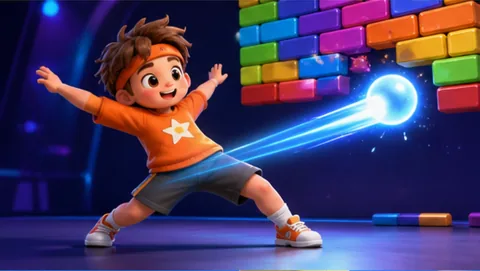
  2. 25 minutes: team rotation — two rounds each of PaddleGuard and Neon Stomp Battle, scores added by team.
  3. 15 minutes: best-of-3 bracket final, one game per match, losers become the commentary crew.
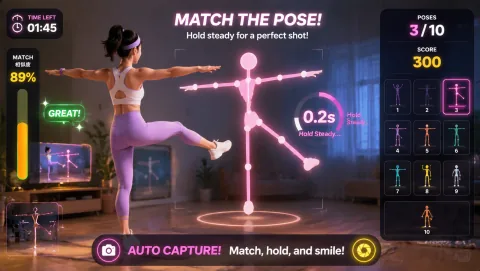
  4. 10 minutes: Awkward Pose Studio free-for-all with photos, no scores, just the laughs.

Mixed ages, one room

Getting grandparents and kids into the same game

Anchor the night on low-impact games

Build the rotation around games that use hands and arms instead of jumping or stomping. BubbleMatch works seated, and WhackAMole only asks for reach-and-tap movement — so the game's challenge is reaction and coordination, not fitness level.

Let the camera do the explaining

The pose overlay shows each player exactly what the webcam sees, which doubles as a tutorial. A grandparent who has never played a video game can watch their own outline on screen and understand the mechanic in one round.

Handicap by round count, not by score

If skill gaps are wide, give the less confident player an extra attempt instead of a points bonus. Extra turns feel like play; adjusted points feel like charity.

Keep it realistic

Simple setup and comfort notes

Clear the floor of trip hazards, keep the camera pointed at the play space, and match game intensity to the people playing — stomp and jump games for the energetic, reach-and-tap games for everyone else. Anyone can sit out a round at any time, and players should stop if they feel pain, dizziness, or discomfort.

Practical check: Test the smallest version first, keep the camera and movement boundary visible, and change the pace, range, role, or game when the room or player needs a different route.

Questions families ask

FAQ

What motion games can the whole family play?

Look for games with simple rules and short rounds so every age can take a turn. On MovePlay, BubbleMatch (one-hand color matching) works for nearly everyone, WhackAMole suits young kids, AwkwardPoseStudio gets groups laughing, and PaddleGuard works well for head-to-head turns. All live games are free and run in a browser with one webcam.

How much space do we need for living room motion games?

A clear rectangle of about 2x2 meters is enough for most games. Place the laptop or camera at roughly chest height, about 2 to 3 meters from the player, and make sure the player's face and hands are evenly lit so the webcam can track movement.

Can grandparents join family motion games?

Yes, if you pick low-impact titles. Games that use hand and arm movement rather than jumping or stomping are the easiest entry point — BubbleMatch can be played seated, and WhackAMole only asks players to reach and tap. Keep rounds short, let everyone sit out whenever they like, and stop if anyone feels pain or dizziness.

Do we need more than one camera?

No. MovePlay games are built around a single webcam, so one laptop is enough for the whole room. Families usually take turns on the same device and compare scores, or split into teams and add up points across rounds.

Free, one camera, zero downloads

Clear two meters of floor and start tonight's first round.

Browse games for groups