The interesting part of a camera game is the connection between your action and its response. A pinch swaps a rune; moving your head aims a laser; a sideways step changes where a fruit will land. Start with a rule you want to try, then learn the control.
Three actions, three different decisions
| Action | Example | Decision before moving |
|---|---|---|
| Pinch and drag | Magic Match | Which adjacent runes should swap? |
| Move and aim with your head | LaserEyes | Which target should the aim reach? This is head control, not eye tracking. |
| Move sideways, then squat | Fruit Stack | Is the landing guide over the matching fruit crate? |
Learn one visible cause and effect
Make a deliberate input and watch what changes. If the cursor moves but the object does not, check whether that game requires a pinch or a release. If nothing responds, look at framing and light before assuming the puzzle decision was wrong.
A camera estimate can be interrupted by occlusion, an edge of the frame or a busy scene. We do not promise a fixed frame rate, model accuracy or identical behavior on every device.
Privacy is a choice you can understand
Camera input for movement tracking is processed on your device. That does not mean the website has no account or analytics data. Read the camera explanation for the separate uses, including session information and sharing.
Find a first game
Compare puzzle and casual games or learn the Bus Queue route-planning rules. The setup guide explains camera placement. Current free and Pro labels below tell you what happens before you open a game; browser delivery does not make the whole catalog free.
Games to preview
Review the controls, play area and access label before opening a game.
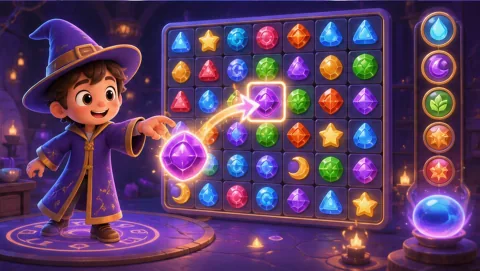
Magic Match
Pinch a rune, swap it with a neighbor and build match-three cascades toward the displayed collection goal.
Controls: Pinch to grab, drag to an adjacent cell and release.
First-round idea: Make a match of three and collect a target rune.
Pro · sign-in required
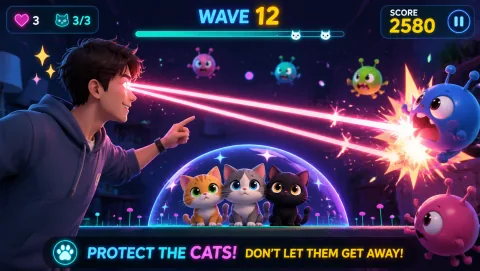
Laser Eyes
Aim lasers with head orientation and protect the cat from approaching monsters.
Controls: Turn your head to aim; keep the face visible.
First-round idea: Track a monster while keeping the cat out of the firing line.
Pro · sign-in required