Browser dance and rhythm games use movement as a timed input: the player follows a beat or a visible cue, and the game responds to the action. MovePlay's directly matched starting option is NeonStompBattle, a webcam game controlled by side steps and weight shifts. A dance mat or dedicated console is not required.
Start with a game that actually uses musical timing
NeonStompBattle is a rhythm game: step from side to side with the beat as the tempo increases. It is not a full dance-choreography lesson or a system that grades every joint in a routine. Watch the tutorial and try a complete round to check whether its pacing fits you.
Other games may involve quick reactions or repeating movements without scoring musical timing. We do not list WhackAMole, GenkiRun or MineHook as dance games simply because their actions have a rhythm. Browse reaction games if hitting a visual target is the task you want.
Prepare for side steps
- Check the tutorial's camera framing and move into view before starting.
- Clear the path of both side steps and any arm movement; the camera's field of view is separate from the physical space available.
- Use light from in front of the player and keep bystanders outside the movement zone.
- Set a comfortable sound level, follow the first prompts, and stop between rounds when needed.
There is no universal room dimension or guaranteed start time. Camera position, lens, browser and resource loading affect the first round. Use the setup guide to resolve framing or permissions.
Playing as a family or group
Take turns on the same device, using the same game conditions if you want to compare scores. A person can also watch or call the prompts. An adult should check the first round for a child; age alone does not determine whether the stepping pace or instructions fit.
Costs and alternatives
Check the access label below and the current catalog before selecting a game. Paid live games require a signed-in Pro account. For a broader comparison of choreography videos, console dance play and camera games, read Just Dance camera alternatives. Different formats measure different inputs.
Common questions
Do I need a dance mat?
No. NeonStompBattle uses the webcam for motion input. A clear stepping area and a suitable device are still needed.
Does it teach complete dance routines?
This recommendation is for beat-led stepping. It is not presented as a choreography course or a substitute for a dance instructor.
Can a beginner try it?
Try the tutorial and a round to assess the timing. Tempo changes are part of the game; choose another activity if they are uncomfortable.
Games to preview
Review the controls, play area and access label before opening a game.
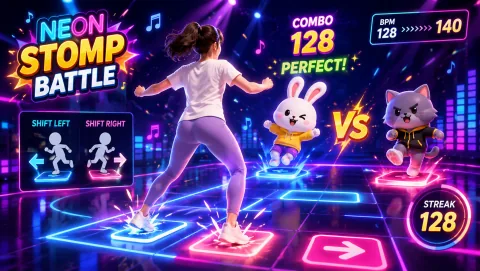
Neon Stomp Battle
Follow musical cues with lateral steps and weight shifts. Timing matters more than frantic movement.
Controls: Step sideways and shift weight to the beat.
First-round idea: Keep a clean sequence of beats before chasing a longer combo.
Pro · sign-in required