🧠 Free Tool for Teachers & Parents
Brain Break Generator
Tell it how much time you have, how much energy your group needs to burn, and how many kids are moving — it builds a ready-to-run brain break mixing no-tech moves and free webcam games. Copy it straight into your lesson plan.
🎲 Every roll is different. Hit generate again for a new activity from the pool. Plans that include a webcam game link out to one of MovePlay's free games — they run in the browser, no download or account, and the camera video is processed on the device, processed for movement controls on your device; accounts, analytics and sharing are separate.
Generated locally in your browser — nothing you pick is stored or sent anywhere
Why Brain Breaks Work
Short is the whole point
A brain break is not recess — it is a micro-pause. One to five minutes of movement between work blocks is enough to shake off restlessness without derailing the lesson. That is why this generator tops out at 5 minutes.
Warm up, move, settle
Every generated plan follows the same arc: a gentle warm-up to get bodies online, a main activity matched to your energy level, and a slow cool-down so kids return to their desks ready to focus rather than wound up.
No-tech moves + webcam games
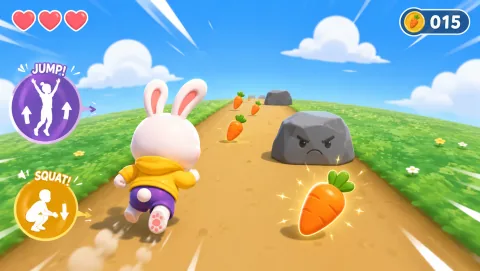
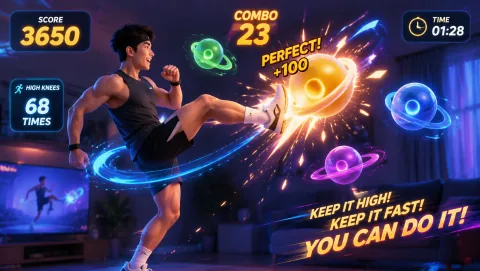
The pool mixes classic teacher moves (stretch circuits, freeze games, animal walks) with MovePlay webcam games for days you want the projector to run the break. Games are free in the browser — no accounts, nothing to install.
Honest Framing
Brain breaks are a widely used classroom management practice, and many teachers report they help students refocus — but this tool is an activity picker, not an educational or medical intervention. Match the energy level to your space, and follow your school's activity policies.
How to Run Your Generated Break
Generate, then read it aloud
Hit the button, scan the three segments, and read the instructions to the class before anyone starts moving. Each segment shows its time window, so you can call the transitions yourself or put a timer on the board.
Copy it into your lesson plan
The copy button formats the whole plan as plain text — time windows, instructions, and a game link if one was picked — so you can paste it into a lesson plan doc, slide deck, or sub folder. The print button gives a clean paper version too.
Project a game when you want the screen to lead
Plans sometimes pick a MovePlay webcam game as the main activity. Open it on the classroom display, let students take turns at the camera, and keep the rest of the group moving along. If the camera or tracking gives you trouble, see our body tracking setup guide, and check the compatibility test before class.
Build a rotation
Generate two or three breaks at the start of the week and rotate them so the novelty lasts. For more ideas, browse the 20 Brain Break Games for Classrooms, the Classroom Movement Games That Get Students Active, or try the movement game recommender to match games to your group.
Games the Generator Picks From

Frequently Asked Questions
What is a brain break? +
A brain break is a short, structured pause — usually 1 to 5 minutes — where students get up and move between blocks of seated work. The idea is to reset attention and burn off restlessness so the class can refocus on the next task. This generator builds one for you: a warm-up, a main activity, and a cool-down, sized to your available time. See the 20 Brain Break Games for Classrooms for more ideas.
How often should I give my class a brain break? +
There is no single official rule, but many teachers schedule a short movement break after every 20 to 30 minutes of seated work for younger students, and at natural transition points (between subjects, after lunch, before a test) for older ones. Watch your class: fidgeting, slumping, and drifting attention are the usual signals that it is time.
Do the webcam games need accounts, downloads, or special equipment? +
No. All MovePlay games run free in the browser with no signup and no download — you just need a device with a webcam and a modern browser. Pose tracking runs entirely on the device: the video is processed locally and processed for movement controls on your device; accounts, analytics and sharing are separate — see our camera privacy explainer and privacy policy. For classroom use, most teachers project the game onto the big screen and let students take turns or run it as a station.
Can I use this generator at home with one child? +
Yes — pick the Solo setting and the activities adapt to a single player with no partner or group instructions. It works well for homework breaks, rainy-day energy resets, and transitions between screen time and offline play — our Active Screen Time for Kids has more on that balance. The 1-minute option is handy when you just need a quick reset between tasks.
Which energy level should I choose for a small or crowded classroom? +
For tight spaces, start with Calm — every calm activity in the pool works standing in place at a desk, with no running or wide arm swings. Medium activities mostly stay in one spot too, but check the instructions first. Save High for gym time, outdoor breaks, or rooms where desks can be pushed back.