For PE Teachers
Digital PE that actually
gets students moving
MovePlay offers cardio, reflex, and balance-oriented activities through a browser — useful when the gym is unavailable or equipment is limited. Each game targets specific muscle groups you can show students on the Muscle Map tool.
The problems PE teachers face every week
Gym unavailable, weather bad, students with injuries — MovePlay gives you a fallback that delivers real physical engagement, not just a YouTube video.
Indoor PE with no equipment
Shared gym schedules, rainy days, and classroom-only sessions are a PE teacher's recurring nightmare. MovePlay runs in any browser on a school laptop — no mats, no balls, no cones required. Open the game, push the desks back, and you have a real PE activity in 2 minutes.
Differentiating for injuries and ability
Students with knee injuries, asthma, or low fitness often get sidelined during traditional PE. MovePlay has adjustable intensity — seated games like LaserEyes let recovering students participate meaningfully, while cardio games challenge the fittest kids at the same time.
Teaching muscle groups in context
Abstract anatomy lessons don't stick. The Muscle Map tool lets you show students exactly which muscles each game targets — before and after play. Link the game to the body part. Contextual learning that supports PE literacy.
Run a full PE session in any room
Explain the muscle group (use the Muscle Map)
Open moveplay.gg/tools/muscle-map/ on the projector. Show students which muscles today's games target. This 2-minute framing ties movement to PE literacy and helps students understand what they're about to train.
Set up stations or whole-class rotation
Push desks to the wall. Each student needs about 1.5m² of floor space in front of a device with a webcam. For single-device classrooms, project the game and run group rounds — 2 students compete while the class cheers and counts.
Play 2–3 games matched to intensity goals
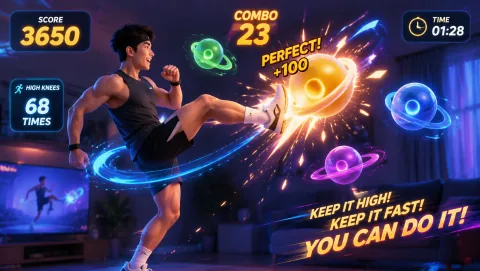
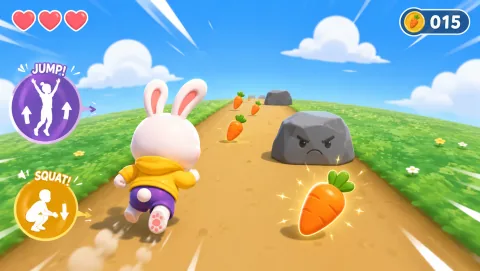
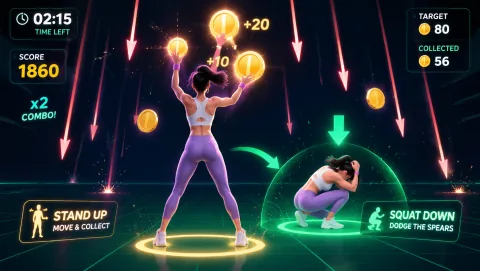
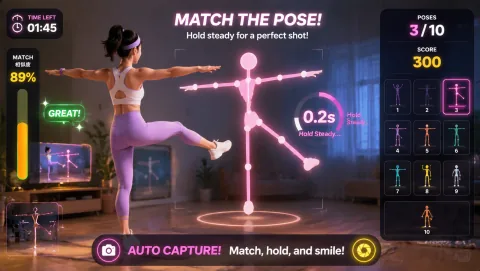
Mix intensity: start with a warm-up reflex game (Reaction, WhackAMole), progress to cardio (BunnyHop, HighKicks), then cool down with a balance game (AwkwardPoseStudio). A 30-minute indoor PE lesson structure is built in.
Debrief with calorie and muscle data
Use the Calorie Calculator to estimate what students burned. Tie it back to the Muscle Map. Students leave understanding the physical work they just did — not just that they played a game.
Built for physical education, not just entertainment
Muscle Map Integration
The interactive Muscle Map shows which muscle groups each game targets. Use it as a pre-activity explainer or post-session debrief. Turns motion gaming into body literacy education.
Multiple Intensity Levels
Games range from low-impact seated play (LaserEyes, GestureChess) to high-intensity cardio (BunnyHop, HighKicks). Easily differentiate across fitness levels, injury status, and learning objectives within the same session.
Individual and Group Modes
Students can play individually on their own devices, or take turns at a shared projector in group round format. Competitive rounds increase engagement — students naturally push harder when classmates are watching and cheering.
Students Can Play at Home
Assign MovePlay as homework activity — students complete a 15-minute session at home and report back. No app to download, no account needed. The Calorie Calculator gives a measurable outcome to report.
Exergaming in physical education
A growing body of evidence supports motion gaming as a valid supplement to traditional PE — particularly for indoor or differentiated settings.
Students reach moderate activity with exergames
A 2012 study in the Journal of Physical Activity and Health found 60% of children reached moderate-to-vigorous physical activity (MVPA) thresholds during structured exergaming sessions — equivalent to traditional PE activities.
Higher heart rate vs. sedentary gaming
Motion gaming produces 2.3× higher average heart rate compared to seated video gaming, according to a 2011 meta-analysis. Students using MovePlay games like BunnyHop and HighKicks regularly exceed 50% max heart rate.
Student preference for interactive PE
Survey data from PE technology trials shows 87% of students prefer interactive motion activities over traditional drill-based lessons — resulting in better attendance and self-reported effort during indoor PE sessions.
Curated by intensity and muscle group
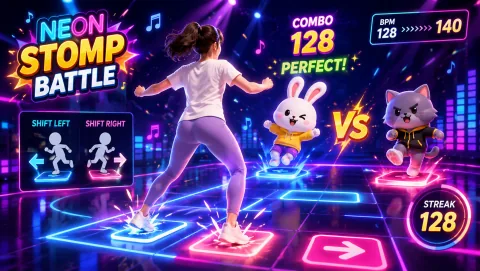
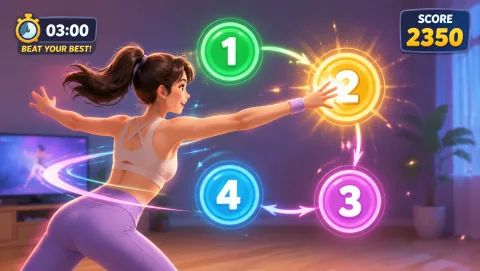
Build your lesson plan around these. Each game description notes the primary movement pattern and suggested session length.
"I finally have a digital PE option that actually gets kids moving, not just watching. I use MovePlay on days the gym is booked — it's become a legitimate part of my curriculum, not a fallback."
"The Muscle Map tool changed how I teach anatomy in PE. I put it on the projector before each game and students immediately understand what we're training. It makes the whole session more intentional."
PE teacher questions
Can I use it for a whole class at once?
Yes, in two formats: (1) Each student on their own device with a webcam — push desks back, set up as a station rotation. (2) One device projected to the board — students take turns or mirror the movements as a group activity. For large classes, the group mirror format works especially well for warm-ups and cool-downs.
How do I grade participation?
MovePlay doesn't generate automatic grades, but participation is observable: students are actively moving (or not). For assessments, use the Calorie Calculator as a self-report tool, or set a session duration requirement using the Movement Break Timer. Peer observation grids also work well for group sessions.
Is it aligned with PE curriculum standards?
MovePlay is not formally aligned to a specific national PE standard, but it supports movement competency, physical fitness, and body literacy objectives common across SHAPE America (US), PDHPE (Australia), and UK PE curricula. The Muscle Map tool directly supports body knowledge learning objectives.
Can students play at home as homework?
Yes — and many teachers assign it. Students need only a laptop with a webcam and a browser. No account required. Ask students to complete a 15-minute session and use the Calorie Calculator to log their estimated output. It makes for an engaging, verifiable home activity.
Does it work on school-managed devices?
MovePlay works on managed school Chromebooks, Windows laptops, and Macs. It requires camera permission, which students grant once in the browser. No extensions, admin installs, or allowlisting required. If you encounter issues on managed devices, the only firewall consideration is moveplay.gg being accessible.