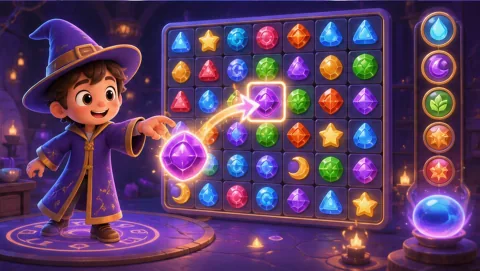
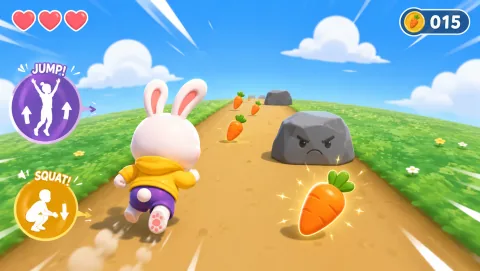
Browser motion games are games that translate visible body movement into input inside a web browser. Instead of pressing a gamepad button, a player might raise a hand, lean, step, squat or jump. The browser reads the camera stream, a local tracking model estimates body or hand positions, and the game converts those positions into actions.
They sit between ordinary browser games and dedicated motion hardware: easier to start than a console-based motion system, but more dependent on camera placement, lighting and the movements that a normal webcam can see reliably.
The four-step pipeline
A browser motion game can be understood as four repeated steps.
1. The browser opens the camera
After the player grants permission, the page receives a live camera stream through browser media APIs. The stream is used as input for tracking.
A production page should never hide this permission behind vague language. The player should know which device is using the camera and how to revoke access.
2. A tracking model estimates landmarks
A computer-vision model looks at each frame and estimates useful points such as wrists, shoulders, hips, knees, ankles or hand landmarks. MovePlay currently uses on-device browser tracking for this motion input.
The useful output is not “a photo of the player.” It is a changing set of positions that describes where relevant body parts appear in the camera frame.
3. The game turns landmarks into intent
Raw coordinates are not gameplay. Each title defines its own movement rules.
For example:
- wrists moving quickly across the frame can become a slash;
- the hips dropping relative to the knees can become a squat;
- the body centre moving left or right can steer a paddle;
- a palm position can guide a cursor or character;
- a raised knee can trigger a target hit.
Good motion-game design uses actions that are visible, repeatable and easy for the player to understand. It should also provide a clear neutral state so accidental movement does not constantly trigger input.
4. The game renders feedback immediately
The player needs to see whether the movement registered. That feedback can be a target hit, character movement, score change, calibration outline or a simple “move back” prompt.
Without immediate feedback, the player cannot tell whether a miss came from timing, tracking, camera placement or the game rule itself.
How this differs from Kinect, Switch and VR
Browser motion games and dedicated motion systems solve similar interaction problems with different hardware.
| System | Typical input | Extra hardware | Strength | Constraint |
|---|---|---|---|---|
| Browser webcam game | Normal camera + local vision model | Usually none beyond camera device | Fast access, link-based distribution | Camera angle and 2D visibility matter |
| Dedicated depth camera | RGB + depth / specialised sensor | Yes | Better depth information | Hardware availability and setup |
| Motion controllers | Handheld tracked controllers | Yes | Precise buttons and controller pose | Player must hold/pair hardware |
| VR | Headset + controllers / hand tracking | Yes | Immersive 3D tracking | Cost, setup, comfort and space |
A normal webcam is not a depth camera. It sees a 2D image, so browser games work best when the movement can be inferred robustly from visible landmarks and changes over time.
What movements work well in a browser?
The answer depends on camera framing, but several classes are practical:
Hand and arm gestures
Reaching, pointing, swiping and palm position can work from a relatively contained area. These controls are useful when the player cannot travel far across the room.
Lateral body movement
Moving the torso or body centre left and right is easy to map to steering or dodging as long as the camera still sees the required body region.
Squats and vertical changes
A controlled change in hip and knee position can become a squat or duck. Games should tolerate normal differences in body proportions instead of expecting one fixed pixel threshold.
Knee lifts, steps and jumps
These can create more active play, but they need more floor clearance and more consistent full-body framing. They should not be treated as the default for every room or every player.
Head or gaze-oriented control
Small head turns or position changes can provide low-travel control when the game mechanic is designed for it.
What you need for a good session
The minimum technology list is short, but the physical setup matters.
- A camera connected to the device running the browser game.
- A modern browser with camera, graphics and WebAssembly support.
- Enough processor/GPU capacity to run tracking and rendering in real time.
- Front lighting or even room lighting so the player is visible.
- A camera position that keeps the required movement in frame.
- A clear play zone appropriate to the selected movement.
For full-body titles, start around 1.5–2 metres from the device and adjust based on the camera view. For upper-body or hand-led games, the ideal distance may be shorter.
Compatibility is a matrix, not a yes/no badge
A page can load on a device while real-time tracking still performs poorly. Browser compatibility should therefore be maintained as a tested matrix, not as “any browser works.”
The matrix should record at least:
- browser and version;
- operating system;
- device class;
- camera permission behaviour;
- tracking frame rate or qualitative performance band;
- known limitations;
- date last tested.
You can check your own device against the live Motion game compatibility test, which checks camera access, tracking performance and frame rate on the exact browser and device you plan to play on.
Privacy: camera access and video upload are different questions
A browser motion game must see the camera stream to detect movement. That does not mean the stream has to be sent to a server.
MovePlay’s current camera architecture performs motion detection in the browser and does not upload gameplay video as part of that tracking flow. The privacy page explains the pipeline and shows how a user can verify network behaviour: Do webcam games record video?
For schools, workplaces and children, also review organisational policy, account handling and physical setup. Technical privacy is only one part of responsible use.
Where browser motion games fit
They are useful when the objective is a short, interactive movement session without dedicated hardware.
Common contexts include:
- family play where people take short turns;
- classroom brain breaks or stations;
- office or remote-team movement breaks;
- parties and informal challenges;
- small rooms where a contained control style is selected deliberately.
They are not a replacement for a complete exercise programme, PE curriculum, rehabilitation plan or medical treatment. A game can create movement without making a clinical or fitness outcome claim.
How to evaluate a browser motion game
Before judging a title by theme or graphics, test five things:
- The first action: can a new player understand it in one sentence?
- Tracking feedback: can the player tell when the camera sees the movement?
- Room fit: can the full movement happen without furniture or cable conflicts?
- Recovery: if tracking is lost, does the game explain how to recover?
- Stop condition: can the round end cleanly without trapping the player in an endless flow?
These factors matter more to repeat use than a long list of features.
FAQ
Do browser motion games need a controller?
Not when the game is designed around camera-tracked body or hand movement. The body becomes the input source.
Do they need a depth camera?
Not necessarily. MovePlay is designed around a normal webcam and on-device computer vision. A normal webcam does not provide the same depth data as dedicated sensors, so the game mechanics must be designed accordingly.
Does MovePlay upload camera video?
MovePlay states that camera frames used for gameplay tracking are processed locally in the browser rather than uploaded or recorded. Read the privacy explainer for the current implementation.
Do I need a large room?
No single room size fits every game. A head-, hand- or upper-body game can work in a smaller zone than repeated jumping or lateral travel. Choose by movement footprint.
Is every MovePlay game free?
MovePlay offers free access and optional Pro access. Use the live pricing page for current entitlements instead of relying on static guide copy.
Try the category
Browse webcam games by movement style, or use the Webcam Games for Beginners first-session guide before your first full-body session.