⚡ Free Tool
Reaction Time Test
How fast are your reflexes? Wait for the pad to turn green, then tap as quickly as you can. Five rounds, instant stats — average, median, and best.
Your age group is only used to label the share text on this page. It is stored nowhere, and this test is not a medical or cognitive assessment.
📱 Device latency note: touchscreens and Bluetooth mice add latency — results vary by device. A wired mouse on a high-refresh-rate monitor usually reads 30–80 ms faster than a phone touchscreen, so compare scores only on the same setup.
Measured in-browser with millisecond timers · simple behavioral test, not a medical assessment
What Is Reaction Time?
Typical adult range on click tests
On a simple visual click-or-tap test like this one, many adults land somewhere between roughly 200 and 300 milliseconds. Elite gamers and athletes sometimes dip under 200 ms — but hardware and focus swing the number a lot.
See, decide, move
Reaction time is the gap between a stimulus and your response: your eyes register the color change, your brain signals "go", and your finger fires. This test measures all three steps plus your device's input delay.
Natural variation per attempt
Nobody scores the same number twice. Fatigue, caffeine, time of day, and attention shift your result by tens of milliseconds between rounds — that's why this test runs 5 rounds and reports a median.
Honest Framing
Ranges above are rough figures commonly reported for simple online click tests, not clinical norms. This tool is a fun behavioral benchmark — not a medical, neurological, or cognitive assessment. Treat your score as a number to beat, not a diagnosis.
How to Get Faster (the Practical Stuff)
Warm up with a few throwaway rounds
Most people's first attempts are 30–60 ms slower than their later ones — your eyes and finger need a couple of reps to sync up. Run the test once without caring about the score, then run it for real.
Sleep and hydrate before you benchmark
Tired reactions are slow reactions — a short night's sleep reliably adds tens of milliseconds. If you want your best number, test when you're rested rather than at 1 a.m.
Cut device latency
Use a wired mouse instead of Bluetooth, close background tabs, and test on the highest-refresh-rate screen you have. The same person can "gain" 50 ms just by switching from a phone touchscreen to a gaming monitor.
Train reactions with your whole body
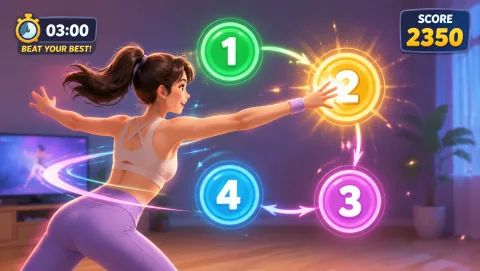
Finger-tap speed is one slice of reflexes. Movement games train full-body response — see, decide, and move your arms and legs. Play Reaction for whole-body tap training, browse the reaction games collection, or check our guide to reaction time games for kids.
Train Your Reflexes by Playing


Frequently Asked Questions
Is 250 ms a good reaction time? +
Yes — 250 ms sits right in the typical band. On simple click-or-tap tests like this one, many adults land somewhere between roughly 200 and 300 ms. Scores under about 200 ms are quick, and scores above 350 ms usually just mean a slow device, a distraction, or an off day rather than anything wrong with you.
Why do my results vary between tries and devices? +
Two big reasons. First, human reaction time naturally fluctuates by 20–50 ms from one attempt to the next depending on focus, fatigue, and time of day. Second, hardware adds delay: touchscreens and Bluetooth mice add measurable input latency, and a 60 Hz display only updates every ~16 ms. That's why the same person can score 220 ms on a wired mouse and 300 ms on a phone touchscreen.
Does this test measure brain health or intelligence? +
No. This is a simple behavioral measure of how quickly you respond to a visual cue on one device, at one moment. It is not a medical, cognitive, or neurological assessment, and a single score says nothing meaningful about brain health or intelligence. If you have concerns about your reactions or coordination, talk to a qualified professional.
How can I improve my reaction time score? +
Practice helps: most people get faster over their first few sessions simply by learning to anticipate the cue. Sleep, hydration, and a short warm-up also tend to sharpen responses. On the hardware side, a wired mouse and a high-refresh-rate screen remove input delay. For training that feels like play, movement games like MovePlay's Reaction game train whole-body response speed.