01
1. Target response
That distinction matters. A game score can show performance in that specific game. It does not automatically measure a clinical skill, diagnose a condition or prove that the player improved a general ability outside the game.
This guide maps common browser motion-game controls to the movement task visible during play.
What the game asks: notice a visible cue, identify the correct target and move a hand, foot or body position toward it before the game state changes.
Examples of design patterns:
- numbered targets that must be touched in sequence;
- a mole or object that appears in one position;
- safe versus unsafe targets that require different responses.
Useful game metrics can include in-game completion time, hit rate or missed targets. Call them in-game metrics, not “neurological reaction time” unless the system has been validated for that purpose.
02
2. Bilateral hand coordination
What the game asks: use both hands in relation to different targets or maintain two simultaneous positions.
Examples:
- matching two coloured targets at once;
- controlling two on-screen elements independently;
- reaching to mirrored positions.
This can make a game more demanding than one-hand pointing, but it does not justify medical or developmental claims on its own.
03
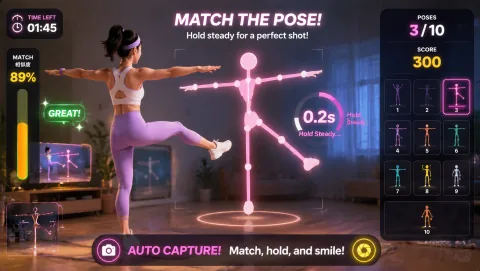
3. Pose matching and body configuration
What the game asks: compare the current body position with a visible target and change shoulders, arms, torso or legs until the shape is close enough to the game's rule.
A good pose game should explain which body regions matter and provide visible tracking feedback. It should also tolerate normal differences in height and proportions rather than assuming one fixed silhouette fits every player.
04
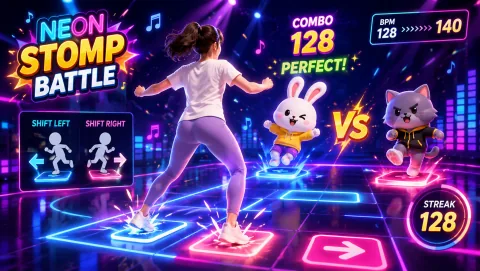
4. Rhythm and timing
What the game asks: perform an action near a recurring beat or within a timing window.
Examples include:
- stepping or shifting on a beat;
- repeating a gesture in time with a pattern;
- waiting for a cue rather than moving continuously.
If MovePlay reports a timing score, describe exactly what the score represents: for example, the difference between a detected input and the game's beat window. Do not turn a game timing score into a general claim about motor development or athletic ability.
05
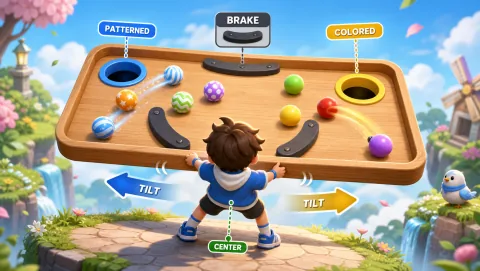
5. Spatial control
What the game asks: move a tracked body point or body centre through a bounded area while maintaining visibility to the camera.
Examples:
- steering a paddle with left/right torso movement;
- guiding a cursor with a palm;
- staying inside or moving toward an on-screen zone.
This is a useful way to describe gameplay because it connects the control directly to the player's task without implying a clinical “spatial awareness” outcome.
06
6. Movement inhibition and switching
Some games are interesting because the correct action is sometimes not to move.
Examples:
- hit green targets but avoid red ones;
- slash fruit but pull back when a bomb appears;
- move on one cue and freeze on another.
The game can record errors inside its own rule set. Avoid describing that as a validated measure of executive function or impulse control unless you have appropriate evidence.
07
A movement taxonomy for MovePlay pages
Every game page should expose structured metadata instead of relying on vague marketing language.
Recommended fields:
- primary_control: hand | head | torso | pose | lower_body | full_body
- movement_tasks: target_response, bilateral_coordination, pose_matching, rhythm_timing, spatial_control, inhibit_switch
- requires_jump: true/false
- requires_squat: true/false
- lateral_travel: none | small | medium | large
- seated_supported: tested_true | tested_false | untested
- space_class: desk | compact | standing | full_body
- pace: calm | moderate | fast
Collections and guide recommendations should render from these fields. This prevents one article from describing a game differently from its game page.
08
How to choose a game by skill task
- If you want clear target-response play — Choose games where cues appear in discrete locations and the action is obvious. Keep the copy focused on target identification and in-game response rather than claiming improved reflexes.
- If you want two-hand interaction — Choose titles whose rule genuinely requires both hands, not a game that merely allows either hand.
- If you want rhythm — Choose titles whose scoring or progression is tied to timing. A game with background music is not automatically a rhythm game.
- If you want spatial control — Choose games where body position continuously controls an on-screen element or zone.
- If you want pose work — Choose games with visible pose feedback and a clear tolerance rule. Avoid marketing them as posture correction unless that function has been designed and validated explicitly.
09
What MovePlay should not claim from ordinary game scores
Without appropriate validation, do not say that a MovePlay title:
- diagnoses coordination problems;
- measures clinical reaction time;
- treats developmental conditions;
- improves ADHD symptoms;
- rehabilitates an injury;
- strengthens a named muscle by a quantified amount;
- improves balance or motor function outside the game.
A safer and more useful description is usually available: what movement the player performs, what feedback the game gives and what in-game metric changes.
10
Related guides
- How webcam body tracking works (/help/how-webcam-body-tracking-works)
- Browser motion games (/guides/browser-motion-games)
- Brain break games (/guides/brain-break-games)
- Webcam game setup (/guides/webcam-game-setup)
Keep it realistic
Game feedback is not a clinical assessment
Use the games for playful practice and observation, not diagnosis, treatment, or rehabilitation decisions. Match range and pace to the player, keep the floor clear, and stop for pain, dizziness, or discomfort.