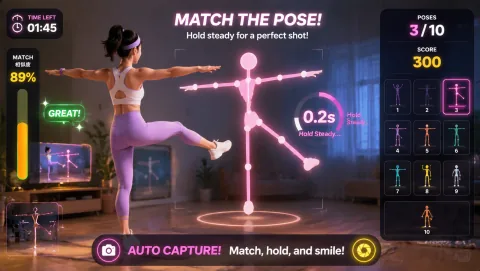
Classroom movement

Interactive brain break games

A brain break that answers back: the student moves, the screen reacts, and the room wakes up in one three-minute round.

Reaction gameplay preview
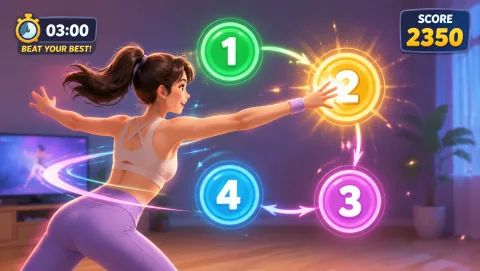
Reaction Numbers scatter to the corners — slap them in order with hands and feet before the shrinking timer runs out.
Best for

Best for teachers and group leaders who want a screen-based break where students drive the action instead of watching it.

01

Interaction Beats Watching

A follow-along video asks students to copy. An interactive game asks them to respond — the obstacle, target, or beat changes because of what their body just did. That feedback loop keeps attention on the game instead of drifting, which is exactly what a break is supposed to reset.

02

One Player, Whole Class

You do not need 30 cameras. Put one student in front of the webcam and let the class mirror the same jumps, reaches, and stomps from their desks. Rotate the player each round so everyone gets a turn on camera.

03

Short Rounds, Hard Stop

Interactive breaks work because they end. Run one round of about three minutes, call the score, and go straight back to the lesson. Ending while students still want more keeps the break feeling like a reward, not a second PE class.

How to run one

The three-minute interactive break

The format is the same every time, which is the point — no explaining rules mid-lesson. Project the browser tab, pick a player, start the game, and stop on the bell you set before you began.

Before the first round

Tech checklist: four things, thirty seconds

A modern browser

Chrome, Edge, or Safari on the teacher laptop or classroom computer. No download, no install, no plugin — the games run as ordinary web pages.

A webcam

The built-in laptop camera is enough. It only needs to see one player from head to knees; angle the screen or scoot the player back until it does.

Camera permission

The browser asks once per site. Click allow, and the choice sticks for the next break. Video is processed on the device to track movement — it is not a recording students watch back.

No accounts

Students never sign in, and there is nothing to set up per child. Open the link and the round can start — which is why this fits inside a three-minute break.

Where this fits

Interactive breaks inside a full brain-break toolkit

Interactive games are one kind of brain break, not the whole category. No-screen ideas — stretching, desk moves, quick classroom challenges — still matter for camera-free days, and our broader 20 Brain Break Games for Classrooms covers the full mix. If you landed here looking for a replacement for video-led platforms, see GoNoodle Alternatives for the wider comparison, or browse all of our webcam games for more interactive options. Teachers can also find classroom-specific setup notes on the MovePlay for teachers page.

Keep it realistic

Simple setup and safety notes

Clear a space the size of a desk footprint in front of the camera, keep the player an arm's length from furniture, and agree on a stop signal before the round starts. Skip kicks and jumps on slippery floors — Whack-a-Mole and Bubble Match work fine with feet planted. Stop if anyone feels pain or dizziness.

Questions teachers ask

FAQ

What is an interactive brain break?

An interactive brain break is a short pause from instruction where students do something that responds to them — a game that reads their movement through a camera and reacts on screen — instead of passively watching a video. The student supplies the input; the screen answers back.

Do interactive brain breaks need a smartboard?

No. A smartboard is only a display. Any setup that shows a browser tab works: a laptop connected to a projector, a TV with an HDMI cable, or a single large monitor. The webcam sits on the laptop and watches the player, so the board itself never needs touch or camera features.

How long should an interactive brain break last?

Two to five minutes is the practical range. One three-minute game round — including picking a player and starting the game — is enough to change the energy in the room without eating the lesson. Set the stop point before you start and end while students still want more.

What if the camera is blocked by school policy?

Input options vary by game, so check the settings on the individual game page first. If camera access is not allowed on school devices, skip the screen entirely for that round — the no-screen ideas in our general brain break games guide need no device, no camera, and no permission prompt.
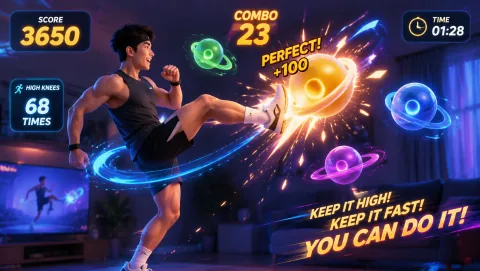
Three minutes, one player, whole class

Run your first interactive break today.

Open the game hub