01
Set the footprint
Mark and test the operating footprint. Reserve a stage-side or foyer footprint clear of AV control, speaker routes, audience exits, sponsor areas, and catering. AwkwardPoseStudio is first only when its medium standing zone is included in the production layout.
02
Open the round
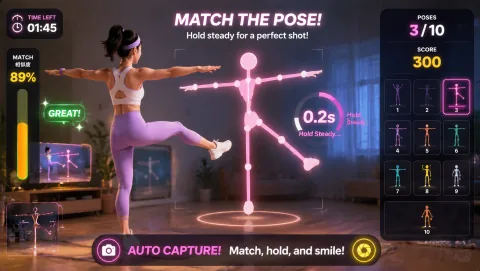
Rehearse the exact opening moment. At the multi-session conference, the station event host starts with AwkwardPoseStudio because timing changes throughout the day and transition content must remain flexible. The host demonstrates full-body pose matching, runs one bounded turn, and hands the station to the next participant so the program can deliver an active intermission between stage blocks.
03
Guide the rotation
Assign and rehearse the operator sequence. For the multi-session conference, the station event host checks the camera mark, explains AwkwardPoseStudio's full-body pose matching, invites one voluntary turn, resets the result, and offers LaserEyes only while the flow remains clear enough to program an active intermission between stage blocks.
04
Close or change course
Brief privacy and contingency choices before opening. Keep webcam play separate from badge scans, session attendance, lead retrieval, and the official event recording. Explain the camera interaction before inviting a voluntary participant. If the stage manager calls a shorter transition, move to a brief host demonstration or cut the segment without delaying the next session; otherwise move from AwkwardPoseStudio to LaserEyes within the same footprint.