01
Set the footprint
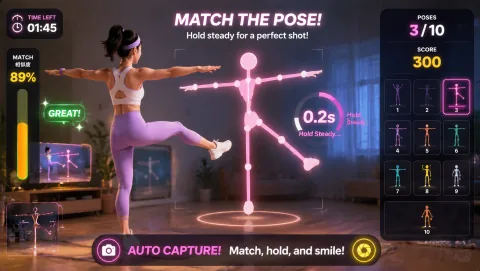
Mark and test the operating footprint. Ask each remote attendee to check a personal camera zone against furniture, pets, cables, housemates, and local accessibility needs. AwkwardPoseStudio is first only for people with enough standing room; LaserEyes keeps a seated route available.
02
Open the round
Rehearse the exact opening moment. At the creator-hosted online room, the meeting facilitator starts with AwkwardPoseStudio because long blocks of panels create screen fatigue and passive viewing. The host demonstrates full-body pose matching, runs one bounded turn, and hands the station to the next participant so the program can give remote attendees a scheduled active break.
03
Guide the rotation
Assign and rehearse the operator sequence. For the creator-hosted online room, the meeting facilitator checks the camera mark, explains AwkwardPoseStudio's full-body pose matching, invites one voluntary turn, resets the result, and offers LaserEyes only while the flow remains clear enough to give remote attendees a scheduled active break.
04
Close or change course
Brief privacy and contingency choices before opening. State whether the online room is recorded and never spotlight, screenshot, or score an attendee feed without explicit consent. Watching, camera-off participation, and skipping the activity must remain ordinary options. At the creator-hosted online room, if long blocks of panels create screen fatigue and passive viewing, use a verbal or chat-based prompt for anyone without a workable camera zone; otherwise move from AwkwardPoseStudio to LaserEyes without expanding the marked footprint.