01
Set the footprint
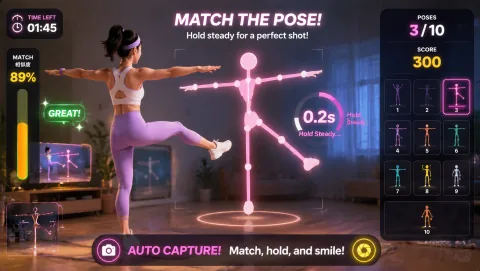
Mark and test the operating footprint. Use a marked guest activity zone clear of check-in, luggage, and service carts. For this exact family activity schedule, protect guest arrivals, check-in, housekeeping, and family-program circulation; AwkwardPoseStudio is first because its profile uses medium standing space with light-to-moderate movement.
02
Open the round
Rehearse the exact opening moment. At the family activity schedule, the guest-program host starts with AwkwardPoseStudio because families want a shared event but do not all enjoy the same sport or intensity. The host demonstrates full-body pose matching, runs one bounded turn, and hands the station to the next participant so the program can run a friendly tournament across age groups.
03
Guide the rotation
Assign and rehearse the operator sequence. For the family activity schedule, the guest-program host checks the camera mark, explains AwkwardPoseStudio's full-body pose matching, invites one voluntary turn, resets the result, and offers LaserEyes only while the flow remains clear enough to run a friendly tournament across age groups.
04
Close or change course
Brief privacy and contingency choices before opening. Do not connect camera play with booking, room, or guest-account details. Before the first AwkwardPoseStudio turn in the family activity schedule, state that choice and keep opt-out participation available for resort entertainment staff. At the family activity schedule, if families want a shared event but do not all enjoy the same sport or intensity, pause the station when guest-service flow needs the space; otherwise move from AwkwardPoseStudio to LaserEyes without expanding the marked footprint.