01
Name the job
For low vision friendly motion games, the immediate job is to make targets, contrast, and instructions easier to read. Say that out loud so players know what success means before score or speed enters the room.
Accessibility Guides · Search-led guide
The useful answer for players who need stronger visual clarity is not a longer list of games. It is a first round that can make targets, contrast, and instructions easier to read in a well-lit home, classroom, or care room, with a clear fallback when glare, distance, and small interface details
lighting check, large cues, and spoken host prompts. This page is designed for players who need stronger visual clarity who need a concrete starting point, not a generic list of games.
The useful decision is whether the camera view, movement range, social format, and stopping point fit a well-lit home, classroom, or care room. If they do not, changing the format is a successful outcome.
Let the format do one job well: make the next action obvious, the camera boundary honest, and the exit easy.
01
For low vision friendly motion games, the immediate job is to make targets, contrast, and instructions easier to read. Say that out loud so players know what success means before score or speed enters the room.
02
For a well-lit home, classroom, or care room, clear the camera zone, check light and framing, and keep furniture, cables, pets, doors, and passers-by outside the play boundary.
03
Offer one player, paired, cooperative, or observer route. glare, distance, and small interface details. Use a short timer and let people change roles without explanation.
04
Keep a seated, hand-led, quieter, one-person, or no-camera alternative ready. Stop or switch when the original movement, room, privacy preference, or energy level no longer fits.
These accessibility guides offer different control styles to try in a well-lit home, classroom, or care room. Start with the option whose movement rule is easiest to explain, then switch if the room or people call for it.
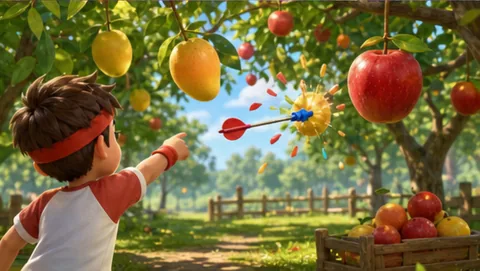
camera-guided movement
Orchard Darts fits this page because it uses camera-guided movement in a clear area where the player stays visible.
Play fit: a readable movement-to-screen loop
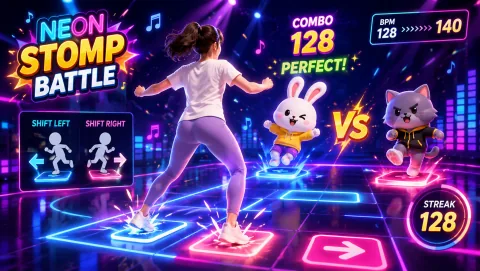
camera-guided movement
Neon Stomp Battle fits this page because it uses camera-guided movement in a clear area where the player stays visible.
Play fit: a readable movement-to-screen loop

head-position aiming
Laser Eyes fits this page because it uses head-position aiming in seated or standing space with low movement.
Play fit: quiet, contained participation when floor travel is unsuitable
Start with Orchard Darts. Check the camera view in a well-lit home, classroom, or care room; if glare, distance, and small interface details gets in the way, use the hub to switch control styles.
Open the game hubParticipation is voluntary. Offer player, caller, coach, scorekeeper, observer, or no-camera roles, and never make a camera turn a condition of belonging, attendance, care, or work.
Frame only the area needed for play, tell nearby people when the camera is active, avoid recording by default, and keep play separate from identity, health, purchase, or attendance data.
lighting check, large cues, and spoken host prompts Adjust range, pace, posture, audio, or turn length to the person and room. If a participant has a health or mobility concern, follow qualified professional advice.
This page describes an active-play format, not medical treatment, diagnosis, therapy, or a promised health result. For general movement context across ages and abilities, review the WHO Guidelines on physical activity and sedentary behaviour.
What to observe: make targets, contrast, and instructions easier to read in a well-lit home, classroom, or care room while respecting glare, distance, and small interface details.
Start with one short, voluntary round. lighting check, large cues, and spoken host prompts. Explain the cue, check the camera view, and let people choose player, caller, coach, scorekeeper, observer, or no-camera participation.
Treat glare, distance, and small interface details as part of the setup. Start with a short cue, keep the boundary small, and switch formats if the original plan asks too much of the room.
Yes. Keep camera use optional and offer a meaningful observer, caller, coach, scorekeeper, or discussion role. People can switch roles or stop whenever the room, privacy preference, or energy level changes.